
HELPFUL SECURITY TIPS WITH DR. BLACK
Check out Dr. Elena Black’s video on online security tips during COVID-19 and read a letter from her IT expert, Bob, below!
As we near the end of the week after Easter, I’d like to take a moment to talk about security, both physical and spiritual. While 2 Samuel 23:5 reminds us that we live in the security of knowing we are saved by Jesus Christ, we also know that people sometimes use times of stress and chaos to take advantage of others. Here are some simple security tips during COVID-19 you can take to keep yourself safe physically right now!
These tips come from a recent conversation I had with our security expert. He did a great job of relaying valuable information that I feel will be beneficial to our patients and their families! I also want to reassure you that the team at Appalachian Orthodontics is always committed to protecting your personal information. If you ever receive a call from someone claiming to be us, feel free to hang up and call back on our main number to be sure you’re speaking with us!
Here are some tips you might find helpful as you keep you and your family safe:
- Install a video doorbell
These are easy to install, and typically allow you to use your phone to view and speak with anyone who might be at your door, while also tracking any movement at your door!
- Utilize a password protection app
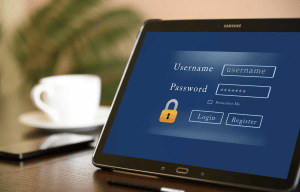
Keep your passwords in one place, as opposed to simply saving them on your web browser. Additionally, make sure you are using strong passwords, and different ones on different accounts.
- Be careful when clicking links on emails
Scammers sometimes send emails that appear to be from someone you know and trust, so take a second to check the email address and be sure it looks like it’s from the company or person it says, and use caution when clicking any links!
- Use caution when posting personal information on social media
We love sharing our world with people we know and trust, but it’s not always easy to know who will come across our social media accounts. Always be careful about the identifying information you share.
I’d like to leave you with the following Psalm today. While we take precautions to ensure our physical safety, we can also find peace in knowing we are protected Spiritually and Jesus has risen!
“May there be peace within your walls and security within your citadels”- Psalm 122:7.
Check out Bob’s advice below on good email and online practices:
 Don’t open emails that appear odd, especially when it is unexpected or from an unknown address. Ask yourself basic questions: Is it from a company, person or organization that I have been dealing with prior to this contact? Does the subject line seem unprofessional, awkwardly worded or otherwise strange?
- Don’t click on links or open files in emails that you didn’t directly ask for or expect. For businesses or organizations you expect to receive links from, it is much better to open a browser and use a saved bookmark or type the address directly into the address line, rather than click an email link (extra tip: don’t copy and paste the link from an email either).
- Never, never give personal or business, sensitive, confidential and/or private information in an email. Don’t send passwords, account numbers, social security numbers, etc., EVEN TO PEOPLE YOU KNOW – regular email is not a secure means of transmitting sensitive information (unless it is a special secure messaging system).
- Be careful responding to emails from people or organizations you do not know or have not worked with before. Many times your response confirms that your email is valid and you are willing to respond.
- If an email contains an offer that is too good to be true – if you think you have won the “internet lottery of life” – DO NOT FALL FOR IT. You will have better odds with a total stranger randomly handing you money in the grocery store than an email offer of riches.
- When in doubt about a message, link, file, etc., get a second opinion. Ask another person to look over your shoulder at the message. Raise the issue to your management or even contact me for advice (do not forward the email unless specifically asked).
- Mark suspicious emails as “spam” (this helps train the system overtime on what to look for).
- ALWAYS FEEL FREE TO ASK.
 Don’t open emails that appear odd, especially when it is unexpected or from an unknown address. Ask yourself basic questions: Is it from a company, person or organization that I have been dealing with prior to this contact? Does the subject line seem unprofessional, awkwardly worded or otherwise strange?
BONUS advice: Be careful and aware of where you receive your information, whether the information is about security tips during COVID-19, your online safety or the current COVID-19 situation. Verify any information you receive from emails, online, social media or just standing around the office water cooler with official and trusted sources.
Be safe in both the virtual and real-world!
Take care,
Bob